Word Search Solver
Paste any word search grid and find every hidden word instantly. The solver scans all 8 straight-line directions — across, down, and diagonally, forwards and backwards. Use the puzzle’s word list, or let it check every run of letters against a 168,000-word dictionary. Everything runs in your browser; your puzzle never leaves your device.
Paste a grid to start
What Is a Word Search Solver?
A word search solver takes the letter grid from any word search puzzle and finds where the hidden words are. Paste the grid as plain text, and the solver checks every possible straight-line placement. If you paste the puzzle’s word list, it pinpoints each word’s exact row, column, and direction. If you don’t have the list, it switches to dictionary mode and reports everyreal English word hidden in the grid — often including bonus words the puzzle maker never intended.
How the 8-Direction Scan Works
Word searches hide words along straight lines only — that’s what makes them solvable by machine so quickly. For each word, the solver visits every cell that matches the word’s first letter, then walks outward in each of the 8 directions (right, left, down, up, and the four diagonals), comparing letter by letter. A 10×10 grid has at most 800 starting positions per word, so even a 30×30 grid with a long word list solves in a few milliseconds.
Dictionary mode inverts the search: instead of looking for specific words, it reads every straight-line run of letters from every cell in every direction and checks each prefix against the public-domain ENABLE word list (the Words With Friends base list). Results are deduplicated, capped at 500, and sorted longest first. Note this is different from Boggle, where words snake through adjacent cells and change direction at every letter — for that, use the Boggle solver.
Tips for Hard Word Searches
- Scan for rare letters first. If the word contains Q, X, Z, or J, find those letters in the grid — there are usually only a few, and one of them starts or contains your word.
- Look for pairs. Double letters (OO, LL, EE) are easy to spot and instantly narrow down where a word like BALLOON can sit.
- Check backwards words. Harder puzzles love right-to-left and bottom-to-top placements. Read each row and column both ways.
- Sweep methodically. Run your finger along each row, then each column, then each diagonal, rather than jumping around the grid.
- Mark as you go. Circle found words and cross them off the list — the last few words hide in the unmarked regions.
Worked Example
Click Try an exampleabove to load a small space-themed puzzle. The word GALAXY sits in row 3 reading left to right, while STARS runs across row 4. MOON is hidden backwards in row 5 (reading right to left), and if you clear the word list and run dictionary mode with a minimum of 4 letters, you’ll also catch bonus words the grid contains by accident. Hover any result to see its exact path light up.
Frequently Asked Questions
How do I use the word search solver?
Paste your grid one row per line (spaces or commas between letters are fine). If you have the puzzle’s word list, paste it too and results appear as you type. Without a list, pick a minimum length and click Find every dictionary word.
What directions does the solver check?
All 8 straight-line directions: left-to-right, right-to-left, top-to-bottom, bottom-to-top, and all four diagonals — every placement a standard word search can use.
Does it work without the puzzle’s word list?
Yes. Dictionary mode checks every straight-line run against the public-domain ENABLE word list (about 168,000 words) and returns every real word, longest first, capped at 500 results.
How big a grid can I paste?
Up to 30×30 letters. The grid must be rectangular and letters-only; separators and case are handled automatically.
Why is a word from my list not found?
Almost always a typo in the pasted grid or the list. Check that every row is complete and equal length. The solver also only finds straight-line words — puzzles that bend words around corners aren’t standard word searches.
Is this the same as a Boggle solver?
No. Word searches use straight lines; Boggle words snake through adjacent cells, turning at every letter. Use our separate Boggle solver for letter-dice boards.
Is it free, and is my puzzle uploaded anywhere?
Completely free, no signup. Parsing and searching happen in your browser; the grid never leaves your device.
Want to Make a Word Search Instead?
This page solves word searches. If you want to create one — for a classroom, a party, or a KDP puzzle book — use the free word search maker instead: type a word list, pick a size, and download a printable puzzle with an answer key.
Related free tools
Dictionary mode uses the public-domain ENABLE word list (the Words With Friends base list).
From our own shelf
Every title- Broadway Bound Puzzle Playhouse400+ Theater Puzzles, Word Searches, Cryptograms, Word Scrambles & Word Fill-Ins

- Totally Rad 90s Nostalgia Puzzles1990s-Themed Word Searches, Cryptograms, Word Scrambles & More

- Around the World Puzzle Atlas220+ Geography Puzzles — Word Searches, Cryptograms, Fill-Ins, Scrambles & Bonus Sudoku
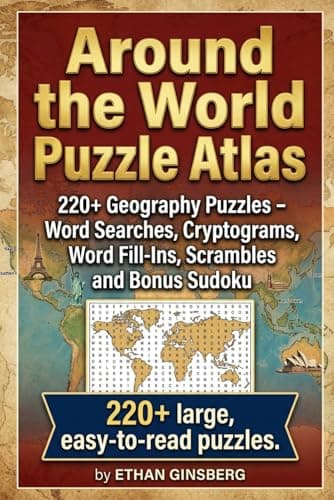
These are Amazon links, and we earn a small commission if you buy through them — at no extra cost to you. They are our own books.
Every free PuzzlePage tool
All free, no signup, and they run in your browser.
Word Solvers & Finders
Daily Game Solvers & Helpers
Logic Puzzle Solvers
Cipher Tools & Decoders
Translators & Converters
Word Lists & Dictionary