Free Cipher Tools & Decoders
Every cipher tool on PuzzlePage in one place: decoders for the classic ciphers, a statistical identifier for mystery messages, an interactive cryptogram solver, symbol translators, and a generator for making puzzles of your own. All free, all running entirely in your browser.
See all 25 shifts of any Caesar ciphertext at once, with the statistically best decode highlighted. Includes an encoder with a shift slider.
Open toolThe internet's spoiler cipher. One box converts both directions instantly, because ROT13 is its own inverse.
Open toolMirror the alphabet (A to Z, B to Y) with the 2,500-year-old Hebrew cipher. Instant two-way conversion with the full mirror table.
Open toolLetters to numbers and back (A=1, Z=26). Decodes dash, space, or comma separators; encodes with the separator you pick.
Open toolThe Freemason (Masonic) symbol cipher: type text to draw the pigpen symbols, or tap a symbol keyboard to decode a secret message — full alphabet chart included.
Open toolDon't know what you're looking at? Paste it and get ranked guesses — with the statistical evidence and a link to the right decoder.
Open toolAn interactive substitution-cipher workbench: editable letter mapping, frequency analysis, dictionary pattern suggestions, and auto-fill for forced words.
Open toolType text and see the matching Wingdings symbols — no font needed — or click symbols on a palette to translate Wingdings back to English.
Open toolConvert text to dots and dashes and back again — the classic telegraph code that still anchors puzzle hunts and survival trivia.
Open toolTranslate between text and Unicode braille cells, the six-dot tactile alphabet that doubles as a favorite puzzle encoding.
Open toolThe other direction: generate printable substitution-cipher puzzles from any quote, complete with answer keys — great for classrooms and puzzle books.
Open toolThe Three Families: Substitution, Transposition, and Encoding
Nearly every pencil-and-paper cipher you’ll meet belongs to one of three families, and knowing which one you’re facing tells you how to attack it.
Substitution ciphers replace each letter with something else while leaving positions alone. The Caesar cipher slides the alphabet a fixed number of steps; Atbash mirrors it; a full cryptogram scrambles it arbitrarily. Their common weakness is that English letter frequencies survive the disguise — E is still the most common symbol, whatever it looks like — so frequency analysis and word-pattern matching (the engines behind our cryptogram solver) break them reliably.
Transposition ciphers keep the original letters but shuffle their order — rail fence zigzags, columnar rearrangements, route ciphers. The tell is uncanny: letter frequencies look like perfectly normal English (the cipher identifier reports exactly this) yet the text reads as gibberish, because nothing was replaced, only relocated. Solving means reconstructing the route rather than a lookup table.
Encodingsaren’t secret at all — they’re public alternate alphabets. A1Z26 writes letters as numbers, Morse as dots and dashes, braille as raised-dot cells, and Wingdings as picture glyphs. There’s no key to find, only a table to apply — which is why they show up as the first layer of multi-step puzzle hunts, stacked under a real cipher for the second layer.
Where to Start
With an unknown message, start at the cipher identifier — it classifies the text statistically and routes you to the right decoder. If you already know it’s a cryptogram, go straight to the interactive solver. And when you’d rather set the puzzle than solve it, the cryptogram maker builds printable puzzles with answer keys from any quote you like.
Frequently Asked Questions
What cipher tools are on this page?
Caesar, ROT13, Atbash, and A1Z26 decoders; a cipher identifier; an interactive cryptogram solver; Wingdings, Morse code, and braille translators; and the cryptogram puzzle generator.
Substitution vs. transposition — what’s the difference?
Substitution changes what each letter looks like; transposition changes where each letter sits. Frequency analysis breaks the first; route reconstruction breaks the second.
Are Morse and braille really ciphers?
Technically encodings — keyless public alphabets — but they’re fixtures of puzzle hunts, so their translators live here alongside the true ciphers.
Which tool should I try first?
The cipher identifier. It narrows a mystery text to a ranked shortlist and links each candidate to its decoder.
Are the tools free? Is my text uploaded?
All free, no signup, and every computation runs client-side — your text never leaves your browser.
Can I create cipher puzzles here too?
Yes — the cryptogram maker generates printable substitution puzzles with answer keys, ready for classrooms and activity books.
More free puzzle tools
From our own shelf
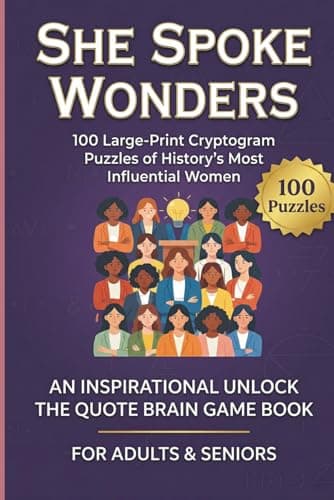
Every title- She Spoke WondersLarge Print Inspirational Cryptograms for Women
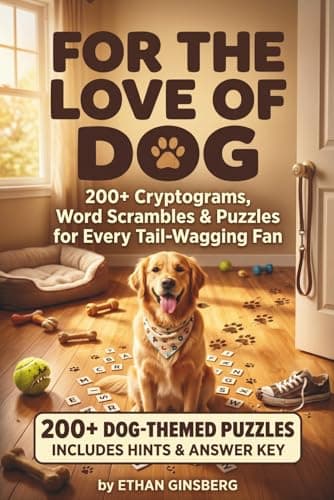
- For the Love of Dog200+ Cryptograms, Word Scrambles & Puzzles for Every Tail-Wagging Fan
- Last Lesson PlanCryptograms for Aggressively Dedicated Teachers
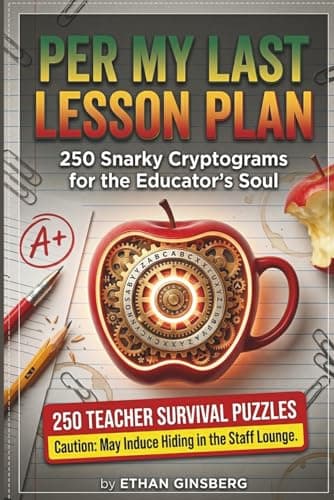
These are Amazon links, and we earn a small commission if you buy through them — at no extra cost to you. They are our own books.
Every free PuzzlePage tool
All free, no signup, and they run in your browser.
Word Solvers & Finders
Daily Game Solvers & Helpers
Logic Puzzle Solvers
Cipher Tools & Decoders
Translators & Converters
Word Lists & Dictionary