Free Word Unscrambler & Anagram Solver
Type up to 12 letters and instantly find every valid English word they spell — including sub-anagrams (shorter words built from a subset of your letters). Works for Scrabble racks, Wordle hints, crossword fills, word jumbles, and word scramble worksheets. Runs entirely in your browser against a 190,000-word dictionary with Scrabble and Words With Friends points — sub-millisecond per query after the first load. Toggle to the ENABLE list for game-legal words only. No download, no tracking, works offline.
Click the input above — the dictionary will start loading.
• Scrabble rack? Leave min length at 2 to see every valid play.
• Got a blank tile? Type ? or * for it. Words marked * use a blank, which scores zero.
• Crossword fill? Set min length to match the slot length and toggle “exact length only”.
• Word scramble worksheet? Type all the scrambled letters and toggle “exact length only” — the original word will be at the top.
• Stuck on Wordle? Type the letters you know are in play (yellow + green) and look for 5-letter matches.
Type letters to start
Teaching with it, or recommending it to readers? Link it, or drop the live tool straight into your page— it's free either way, and no attribution beyond the link is required.
Link (HTML)
<a href="https://www.puzzlepage.app/word-unscrambler">Word Unscrambler — PuzzlePage</a>Embed (iframe)
<iframe src="https://www.puzzlepage.app/embed/tools/word-unscrambler" title="Word Unscrambler — PuzzlePage" width="100%" height="420" style="border:1px solid #e5e7eb;border-radius:8px" loading="lazy"></iframe>We make puzzle books too
Every book in our catalog was made with this tool. Here are a few favorites — available on Amazon.
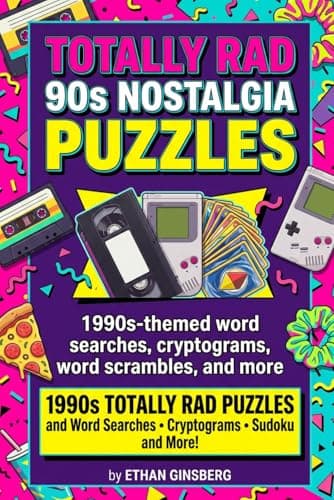
Totally Rad 90s Nostalgia Puzzles
1990s-Themed Word Searches, Cryptograms, Word Scrambles & More
Cartoons, mixtapes, butterfly clips, dial-up. Every page is loaded with the pop culture that defined the greatest decade ever — built for Gen X, Elder Millennials, and every 90s kid at heart.
See details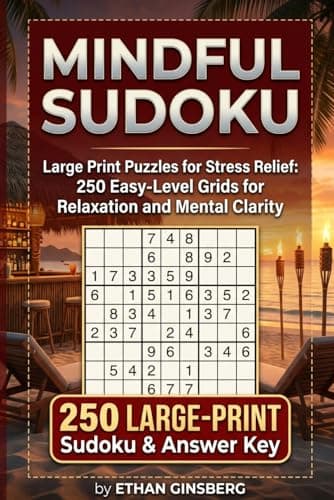
Large Print Brain Games
Mindful Sudoku
250 Easy Large-Print Sudoku Puzzles for Stress Relief & Mental Clarity
250 easy Sudoku grids built for stress relief and calm focus. A screen-free way to unplug, sharpen the mind, and find that satisfying "aha" moment at the end of a long day.
See details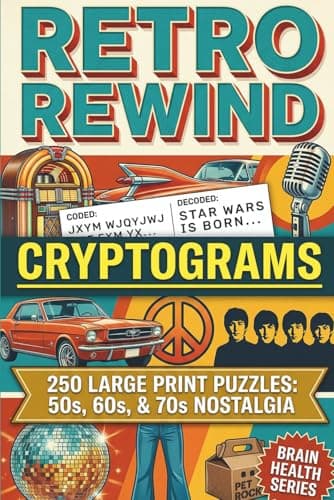
Retro Rewind Cryptograms
Nostalgic Puzzles to Unlock Your Memory
Take a trip back. Cryptograms built around the quotes, slang, and moments that defined decades gone by.
See detailsWhat Is a Word Unscrambler?
A word unscrambler — also called an anagram solver, letter jumble finder, or word finder — takes a set of mixed-up letters and returns every valid English word that can be spelled from them. PuzzlePage’s unscrambler returns both pure anagrams (words using all your letters) and sub-anagrams (shorter words built from a subset). Results are grouped by length, longest first — the standard sort order for Scrabble racks, Words With Friends, and crossword solving.
Why This Unscrambler Is Fast
Most online unscramblers send every query to a server — a 100–300ms network round-trip on every keystroke. PuzzlePage loads the dictionary into your browser once, builds a sorted-letter hash lookup in a Web Worker, then serves every query locally in sub-millisecond time. Works offline after the first load, never sees your letters on the server, and never logs your queries.
How to Use the Word Unscrambler
- Type up to 12 letters — the dictionary loads automatically when you focus the input (one-time, then cached).
- Set the minimum word length — defaults to 3 letters. Set it to your input length and toggle Exact length only for pure anagrams.
- Read the results — words are grouped by length, longest first. Click a word to copy it.
- Adjust as you solve — for crosswords with one known letter, include that letter in your input and filter by slot length.
When to Use a Word Unscrambler
- Scrabble & Words With Friends — type your rack and see every legal play. Leave min length at 2 so two-letter plays show up. Note: the dictionary is dwyl/english-words, close to but not identical to the official Scrabble TWL.
- Wordle — type the letters you know are in play (yellow + green) and filter to 5 letters.
- Crossword fill — type the letters from intersecting answers, set min length to the slot length, and toggle Exact length only.
- Word scramble & jumble worksheets — type all the scrambled letters and toggle Exact length only. The intended word will be in the top tier.
- Daily word jumbles & newspaper anagrams — sub-anagram mode finds the smaller words built into each clue.
- Boggle & Word Hunt — type the letters on the board and scan the longest matches first.
- Creative writing & naming — check what English words rearrange from a brand name or character name.
Want to Make a Word Scramble Worksheet Instead?
This page solvesscrambles. If you’re creating a worksheet, classroom puzzle, or KDP activity book, you want the free word scramble maker instead — type any word list and download a printable worksheet with an answer key.
Frequently Asked Questions
How does the word unscrambler work?
It sorts your input letters alphabetically to form a lookup key, then finds every dictionary word that shares the same sorted key. For sub-anagrams (shorter words from a subset of your letters), it iterates every subset. The whole operation runs in a Web Worker so the page stays responsive.
Is the unscrambler really free?
Yes — completely free. The dictionary loads once when you focus the input, then every query is local and sub-millisecond. Works offline after the first load.
Does my data leave my browser?
No. The dictionary is downloaded as a static asset and parsed in a Web Worker on your device. Your input letters never leave your browser; we don’t log queries, store letters, or send anything to a server.
What dictionary does the unscrambler use?
Two public-domain lists, merged: the dwyl/english-words list (3–8 letter everyday words) and the full ENABLE list (2–15 letters) — the base dictionary Words With Friends uses. The dictionary toggle switches between “all words” and game-legal ENABLE words only.
Can I use it for Scrabble?
Yes. Set the dictionary to Scrabble/WWF (ENABLE), type your rack letters, and every result is a playable word with its base point value shown for both games. ENABLE closely matches the official tournament lists; a handful of newer short words differ, so tournament players should confirm against their event list.
What do the three dictionary options mean?
All words merges both wordlists we ship — the widest net, useful for jumbles and crosswords. Scrabble / WWF (ENABLE) restricts results to the public-domain ENABLE list, the base dictionary Words With Friends uses; it is close to the official tournament lists but not identical, so confirm rare plays against your game. Common words only filters to a frequency-ranked list of everyday English — the right setting when you want plausible answers rather than obscure valid ones, as in Wordle.
How do I use a blank tile?
Type ? or * in place of the blank — the unscrambler tries every letter in that slot. Results that needed a blank are marked with an asterisk, and their score already reflects that a blank is worth zero points. Two blanks are supported, which matches a real Scrabble set.
Can I use it for crosswords?
Yes. Type the letters you have (including known crossing letters) and filter by length to match the crossword slot. The unscrambler returns every valid word of that length built from your input letters.
What’s the difference between an unscrambler, an anagram solver, and a word finder?
They’re three names for the same tool. An anagram solver typically returns words of the exact letter count. An unscrambler also returns shorter sub-anagrams. A word finder is the consumer-friendly name. PuzzlePage’s unscrambler supports both modes — set the minimum length to the input length for pure-anagram mode, or leave it at 3 for full sub-anagram mode.
Why is it so fast?
The dictionary is built once into a hash map keyed on sorted letters. Every query is then a constant-time lookup against that map. The whole solver runs in a Web Worker so it doesn’t block the page UI.
Want a deeper guide?
The complete word unscrambler & anagram solver guide →Browse word lists
Every list is generated from the ENABLE dictionary and carries a live filter.
All word lists · Unscramble answers · Scrabble dictionary check
Every free PuzzlePage tool
All free, no signup, and they run in your browser.
Word Solvers & Finders
Daily Game Solvers & Helpers
Logic Puzzle Solvers
Cipher Tools & Decoders
Translators & Converters
Word Lists & Dictionary
Related guides
All guidesWord Unscrambler & Anagram Solver: How They Work and When to Use Them
A complete guide to word unscramblers and anagram solvers — how they work under the hood, which letter patterns are hardest to solve, and how to choose the right tool for crosswords, Scrabble, and puzzle games.
7 min readNYT Spelling Bee Tips: Find More Words and Pangrams
NYT Spelling Bee tips to find more words fast: use the center letter, chase the pangram, and test common endings. Reach Genius with a few smart habits.
7 min readHow to Solve a Word Scramble: Step-by-Step Guide
Learn how to solve a word scramble with six proven techniques. Unscramble any jumbled word faster using vowel sorting, blend spotting, and theme clues.