Free Sudoku Solver with Step-by-Step Solutions
Enter any 9×9 sudoku and solve it instantly — or replay the solution move by move on a live candidate grid, with every technique explained in plain English: naked singles, hidden singles, pairs, pointing pairs, and X-wings. Edit the pencil marks yourself, undo any change, check whether your puzzle is valid, and see its difficulty rating. Everything runs in your browser; your puzzle never leaves your device.
Tip: click a small candidate numeral to strike it out (click again to bring it back), or press Shift plus a digit on the selected cell. Arrow keys move, digits type, Backspace clears.
Digits 1–9 with 0, a dot, a dash, or an underscore for blanks. Spaces and line breaks are ignored, so a nine-line grid pastes fine.
Click Solve step by step to see every move explained on the candidate grid, or Solve instantly for just the answer.
Teaching with it, or recommending it to readers? Link it— it's free either way, and no attribution beyond the link is required.
Link (HTML)
<a href="https://www.puzzlepage.app/sudoku-solver">Sudoku Solver — PuzzlePage</a>What Is a Sudoku Solver?
A sudoku solver takes the givens of a 9×9 sudoku and completes the grid so that every row, column, and 3×3 box contains the digits 1 through 9 exactly once. Most online solvers only hand you the finished answer. This one also shows the step-by-step reasoning— the same named techniques human solvers use — on a live candidate grid you can edit yourself, so you can find the exact move you missed and actually get better at sudoku instead of just copying the answer.
How to Use the Sudoku Solver
- Enter your puzzle — click a cell and type. Arrow keys move around the grid, digits fill cells, Backspace clears. You can also paste an 81-character puzzle string onto the grid, load one of the five examples, or type a string into the import field.
- Read the candidates — every empty cell fills with the small digits that are still legal there. Turn them off any time with the Show candidates switch.
- Check the puzzle — tells you whether your grid is a proper sudoku with one solution, has several solutions, contradicts itself, or cannot be finished at all, and shows a difficulty rating.
- Solve instantly — fills the complete answer and confirms whether the solution is unique.
- Solve step by step — produces a numbered list of moves. Click any step to see the grid and its candidates exactly as they looked at that point, with the eliminated pencil marks struck through in amber.
- Undo anything — the Undo button walks back through your last fifty grid changes, including applied steps.
Candidates and Pencil Marks, Explained
A candidateis a digit that could still legally go in an empty cell — one that does not already appear in that cell’s row, column, or 3×3 box. On paper, solvers write these in tiny numerals in the corner of the cell, which is where the name pencil marks comes from. Every technique past the beginner level is really a statement about candidates, so seeing them is the difference between following an explanation and just trusting it.
This solver draws the candidates for you as a 3×3 mini-grid inside each empty cell, always in the same position: 1 top-left, 5 in the middle, 9 bottom-right. That fixed layout means you can scan a whole row for a digit without reading every cell. A cell with only one candidate left is outlined — that is a naked single, ready to be written in.
You can edit the marks by hand. Click a small numeral to strike it out, click it again to bring it back, or press Shift plus that digit while the cell is selected. Striking a candidate does not change the puzzle — it only changes your working notes, exactly like erasing a pencil mark on paper. Use it to test an idea (“if 4 cannot go here…”) or to keep track of eliminations you have already made. Reset pencil marks throws away every strike and returns to the auto-computed candidates.
Two visual cues are worth knowing. A candidate struck through in gray is one youremoved. A candidate struck through in amber is one the currently selected solving step removes, so you can see the exact effect of a naked pair or an X-wing before it happens. A red dot in the corner of a cell means it has no candidates at all — the grid is broken there and nothing can be written in that cell.
How the Difficulty Rating Works
The rating is not a guess based on how many givens the puzzle has — clue count is a poor predictor. Instead the solver actually solves the puzzle with human techniques, always preferring the simplest move available, then grades it by the hardest technique it was forced to use. Easy means naked and hidden singles were enough. Medium means it needed naked pairs or pointing pairs. Hard means hidden pairs or an X-wing showed up. Expert means even those stalled and the solver had to fall back on trial and error, which is a signal that the puzzle needs chain-based logic like a swordfish, XY-wing, or coloring. The rating also reports how many logical steps the whole solve takes.
The Solving Techniques, Explained
The step-by-step mode applies these techniques in order, always preferring the simplest move available — the same priority a good human solver uses:
Naked single
A cell where eight of the nine digits are already blocked by its row, column, and box, leaving exactly one candidate. If R4C7 can only be 5, write the 5. This is the bread-and-butter move that solves most easy puzzles entirely on its own. On the candidate grid these cells are the ones showing a single tiny numeral.
Hidden single
A digit that fits in only one cell of a row, column, or box — even though that cell still has other candidates. If 7 can go nowhere in box 3 except R2C9, then R2C9 is 7, no matter what else seemed possible there. Scan one digit’s position across the candidate grid and these jump out.
Naked pair
Two cells in the same unit that both hold exactly the same two candidates, say {3, 7}. Those two digits are locked into those two cells in some order, so 3 and 7 can be erased from every other cell of that row, column, or box. It places no digit itself, but the eliminations often uncover new singles — select the step and watch the amber strikes appear.
Pointing pair (box-line reduction)
When all of a digit’s candidates inside a box sit on one row or column, the digit must land on that line inside the box — so it can be removed from the rest of that row or column outside the box.
Hidden pair
Two digits that can only go in the same two cells of a unit. Those cells must contain exactly those two digits, so every other candidate in them can be erased, often turning a cluttered cell into a naked pair or single.
X-wing
A digit whose candidates in two different rows are confined to the same two columns, forming a rectangle. However the digit falls, it occupies one corner in each row — using up both columns — so the digit can be removed from those columns everywhere else. The same logic works with columns and rows swapped. Load the X-wing demo example to see one on the board.
Trial and error (fallback)
Some extreme puzzles need chains beyond the techniques above (swordfish, XY-wings, coloring). When the named techniques stall, this solver makes one placement taken from the computed solution and labels it honestly as trial and error rather than dressing it up as logic, then goes back to human techniques.
A Worked Example
Load the X-wing demo example and click Solve step by step. The rating reads Hard, hardest technique X-wing, so you know before you start that singles alone will not finish it. Click through the early steps and watch the candidate grid thin out as singles get written in. Somewhere in the middle you will hit the X-wing step: the description names the four corner cells, and on the grid the candidates it kills are struck through in amber. Click Apply this step to my gridon any placement step to write it in for real, then keep solving by hand from there — Undo puts it back if you change your mind.
The Easy example (the classic Wikipedia puzzle) is a good contrast: it falls to singles alone in about fifty moves, and its candidate grid never gets crowded. The Expert example is Arto Inkala’s famous 2012 puzzle, where even hidden pairs and X-wings run out of road and the solver has to say so honestly.
Frequently Asked Questions
Is this sudoku solver free?
Yes, completely free. No signup, no download, no limit on puzzles. All the solving happens in your browser.
Does it show candidates and let me edit them?
Yes. Every empty cell shows its legal digits as small numerals in a fixed 3×3 layout. Click a numeral to strike it out, click again to restore it, or press Shift plus a digit on the selected cell. Reset pencil marks clears all your strikes.
Does it show the solving techniques?
Yes. Step-by-step mode names every move — naked single, hidden single, naked pair, hidden pair, pointing pair, X-wing — and explains it in plain English with the exact cells (like R4C7). Click a step to see the grid at that moment with its eliminated candidates struck through.
How do I know if my puzzle is valid?
Click Check puzzle. It reports one of four results: a proper sudoku with exactly one solution, valid but with multiple solutions, contradictory with the clashing cells highlighted in red, or unsolvable because some cell has been left with no legal candidate.
What if my puzzle has multiple solutions?
The solver searches for a second solution to check uniqueness. If more than one exists, it fills in one valid completion and warns you that the puzzle is not a proper sudoku — a real sudoku has exactly one solution.
How is the difficulty rating calculated?
By solving the puzzle with human techniques and grading it by the hardest one required: singles only is Easy, naked or pointing pairs make it Medium, hidden pairs and X-wings make it Hard, and anything that defeats those is Expert.
Can I import and export puzzles?
Yes. Paste an 81-character string straight onto the grid or into the import field — digits with 0, dots, dashes, or underscores for blanks, and spaces or line breaks anywhere. Copy puzzle string gives you the current grid in the same format.
Does my puzzle leave my browser?
No. The solver runs entirely on your device as plain JavaScript. Nothing is uploaded, logged, or stored.
Can it solve any sudoku?
Yes. Human techniques carry most published puzzles; when harder logic is needed, the solver takes one backtracking-derived placement, labels it trial and error, and continues. Solve instantly always finds the answer if one exists.
Related sudoku tools
From our own shelf
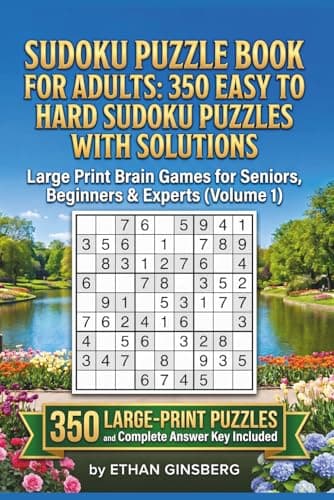
Every title- Sudoku Puzzle Book for Adults350 Easy to Hard Sudoku Puzzles with Solutions — Large Print (Volume 1)
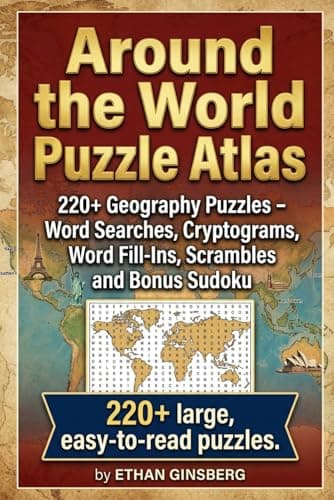
- Around the World Puzzle Atlas220+ Geography Puzzles — Word Searches, Cryptograms, Fill-Ins, Scrambles & Bonus Sudoku
- Around the World in Tasty Puzzles330+ Food & Travel Puzzles — Sudoku, Cryptograms, Word Searches & More

These are Amazon links, and we earn a small commission if you buy through them — at no extra cost to you. They are our own books.
Every free PuzzlePage tool
All free, no signup, and they run in your browser.
Word Solvers & Finders
Daily Game Solvers & Helpers
Logic Puzzle Solvers
Cipher Tools & Decoders
Translators & Converters
Word Lists & Dictionary