Desk Name Tag Maker
Paste your class roster and print desk plates, cubby labels, book bin tags and badges — cut-guided and ready for the copier.
What you can put on a tag
8 real sheets. Click one to start from it.
Editable desk name tags, without Canva
Almost every “editable” desk name tag sold on Etsy and Teachers Pay Teachers is a Canva template: you buy a file, make a free Canva account, open the template, and type thirty names into thirty text boxes yourself. That is a generator with the generator missing. Here the class list isthe input. Paste it, choose a size, download the PDF. Next August, paste next year’s list.
What can go on a desk plate, and what honestly cannot
Twenty-six reference elements, from a 12 × 12 multiplication chart and the hundred chart to all 118 elements of the periodic table, fraction bars, a clock face, place value, base ten blocks, coin values, the order of operations, a feelings check-in strip and the Spanish and French accent codes nobody else prints.
You can pick three. That is not a paywall — it is the paper. A shop-bought desk plate is eighteen inches wide and carries seven of these; ours is 7.5 inches, which leaves about an inch of room once a legible name is on it. For the same reason the ruler here is six inches and fifteen centimetres rather than the twelve inches every manufactured plate has: twelve does not fit, and a ruler that lies is worse than no ruler.
Two things we deliberately do not offer, because they would be pictures rather than type: a picture alphabet and an ASL fingerspelling chart. Everything here is drawn in type and CSS, which is why it survives a school copier — and why the coin element gives you correctly-sized circles with names and values rather than fake coin faces.
Two names on one tag, for Spanish, French and Mandarin rooms
Turn on two names per tag and each line becomes English name | classroom name | pronunciation. The second name prints larger and in its own script — Chinese characters, Japanese katakana, Hangul, Arabic and Hebrew right-to-left, Devanagari, Cyrillic, Greek — with the pinyin or rōmaji underneath it. The font for whatever characters you type is fetched and embedded in the PDF, so it prints properly rather than as empty boxes.
The name is always typed by you or by the student. We do not transliterate and we never will: a target-language name handed out by a machine is exactly the version of this practice that students have objected to, and the point of the second line is that they chose what is on it.
The seven formats
- Desk name plate (7.5″ × 2.4″) — Tapes across the front edge of a desk. 4 per sheet.
- Desk plate — with writing line (7.5″ × 3.3″) — Deeper plate with a handwriting practice line. 3 per sheet.
- Cubby & locker label (3.75″ × 1.6″) — Cubbies, lockers, coat hooks, mailboxes. 12 per sheet.
- Book bin label (3.75″ × 2.5″) — Book boxes, supply bins, table caddies. 8 per sheet.
- Name badge / lanyard (3.75″ × 2.5″) — First-day badges, field trips, open house. 8 per sheet.
- Supply & drawer label (2.5″ × 1.25″) — Drawers, folders, pencil boxes, mailbox slots. 24 per sheet.
- Word wall card (3.75″ × 2″) — Word walls, vocabulary displays, sound cards. 10 per sheet.
Printing and laminating
Print at 100% scale (not “fit to page”) so the cut guides — and the ruler — land where the measurements say. Card stock holds up better than paper on a desk edge, and laminating a desk plate roughly triples how long it survives. Tape the plate along its long edge only, so a child can lift it to look underneath.
Want the whole set already made?
The Desk Name Tag Library is every format in every style, pre-built with a blank-name edition you can hand-write or run through a printer. This maker stays free either way — see the whole teacher resource section.
We publish puzzle books too
Every titlePaperbacks we wrote and printed ourselves — including one for people who teach. Nothing to do with the makers above; they stay free.
- Last Lesson PlanCryptograms for Aggressively Dedicated Teachers
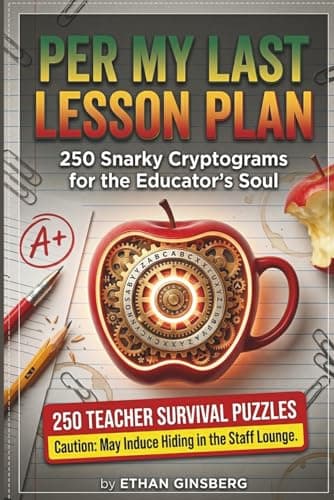
- Per My Last TantrumSnarky Cryptograms for the Mental Load

- The Giggle Brain Puzzle Book120+ Hilarious Puzzles for Middle School Kids — Cryptograms, Word Fill-Ins & Word Scrambles
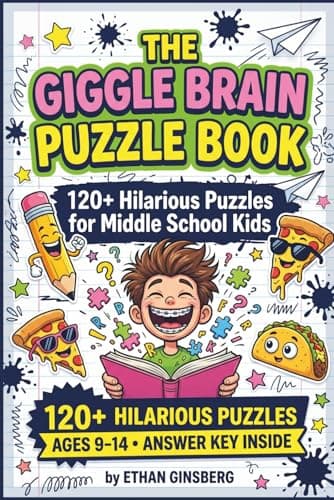
These are Amazon links, and we earn a small commission if you buy through them — at no extra cost to you. They are our own books.
Frequently Asked Questions
How do I make printable desk name tags for my classroom?
Paste your class list into the roster box — one name per line, or straight out of your gradebook. Choose a size (desk name plate, cubby label, book bin label, badge, supply label or word wall card), pick a style, and download the PDF. Everything is laid out with cut lines, and the file is free.
Is this actually editable, or is it a Canva template?
It is a generator, not a template. There is no Canva account, no login, and nothing to drag. You type or paste the names and the tags are built around them. Next August, paste next year's list and it does it again.
My class list is exported as "Last, First". Will that work?
Yes. A line with a single comma is read as Last, First and flipped automatically, so a gradebook export gives you tags that read "Ava Smith" rather than "SMITH, AVA". A two-column paste (name and room, separated by a tab) puts the second column on the tag's second line.
Can I put the alphabet and a number line on the desk plates?
Yes, and they are on by default for the desk plate sizes. The alphabet prints as paired upper and lower case (Aa Bb Cc) because that is the letterform a child is copying, and the number line runs to 20 by default — you can set it anywhere from 5 to 30, or turn either off.
How many name tags fit on a page?
It depends on the size: 4 desk name plates, 3 deep plates with a handwriting line, 12 cubby or locker labels, 8 book bin labels or badges, 10 word wall cards, or 24 supply labels. A class of 24 is one to six sheets depending on what you are making.
Will these print properly in black and white?
Yes. Every style uses a single accent colour and nothing depends on colour to be readable, so the school copier produces a clean tag rather than a grey smear. There is no clipart and no photographic background to soak up toner.
Do the names I type get stored anywhere?
No. Names are laid out in your browser for the preview and sent to our server only to be rendered into the PDF that comes straight back to you. They are not saved, not logged, and never reach analytics. See our schools page for the full privacy answers.
Is it free, and can I use the tags in my classroom every year?
The maker is free and there is no limit on how many tags you print or how many years you use them. Free PDFs carry a small QR code and credit line in the corner; a $2.99 day pass or Plus removes those and unlocks custom fonts, colours and a running header.
Last updated .
Every free teacher tool
All free, no signup, and they run in your browser.
Teacher Resource Makers
Word Lists & Dictionary
Related guides
All guidesFree Back-to-School Printable Puzzles (2026) for the Classroom
Free printable back-to-school puzzles for 2026 — supplies, subjects, and first-week word searches, scrambles, cryptograms, and fill-ins with answer keys. Instant PDF.
6 min readAI Flash Card Maker: A Whole Deck From One Sentence
Print-ready vocabulary decks in seconds with the AI flash card maker, now in beta. Say the subject and grade, and it writes both sides. $19 a year for teachers.
7 min readAI Crossword Maker: Write Answers and Clues at Once
Step-by-step guide to the AI crossword maker, in beta: name the topic and level, and it writes the answers and the clues. Free printable PDF with answer key.