Task Card Maker
Paste your questions and print numbered task cards with a recording sheet and an answer key — plus QR codes students can scan to check their own answers, if you want them.
What are task cards?
Task cards are small printed cards that each hold one question or problem. Students work through them at their own pace — at stations, in a game of Scoot, or as early-finisher work — and write each answer on a numbered recording sheet.
Four ways to use them
- Scoot.One card on every desk, a recording sheet for every student. Call “Scoot!” every minute or so and everyone moves to the next desk. The box numbers match the card numbers, so nobody loses their place.
- Stations and centers. A set in a zip bag at each table. Four per page makes cards big enough for a small group to read together.
- Early finishers. A box of cards by the door. With the QR self-check on, a student can check their own answer without waiting for you.
- Morning meeting and SEL.Discussion prompts with no right answer. Leave the answer off and the card prints with no QR, and the key says “Answers will vary”.
How the QR self-check works
Each code holds the answer as plain text — “Card 3: B) 12” — not a web link. Any phone or tablet camera shows it, with no app, no internet and no website to visit. If phones are not allowed in your room, switch the codes off: the recording sheet and the answer key do not depend on them.
Typing a multiple-choice card
The question on one line, the options under it, and a star on the right one:
Each car has 4 wheels. How many wheels are on 7 cars?
A) 11
B) 24
*C) 28
D) 32
Or leave the star off and add a line that says Answer: C. Leave a blank line before the next card.
Which size for which job
- 4 per page — large — Big, readable cards for stations and read-alouds. Word problems fit easily.
- 6 per page — standard — The usual choice for Scoot and a set of 24.
- 8 per page — compact — Short questions and big sets. Saves paper on 32 or more.
The type on each card is sized to fit that card, so a short question prints large and a long word problem steps down rather than running off the edge.
Printing tips
Print at 100% (“Actual size”), not “Fit to page”, so the cut lines stay square. Card stock survives a year of Scoot; laminating first means the cards can be written on with a dry-erase marker. Photocopy the recording sheet for the class and keep the answer key — it is the last page — for yourself.
Making a vocabulary deck instead? The flash card maker prints answers on the back. For a quick check at the end of a lesson, try the exit ticket maker. More at teacher resources.
We publish puzzle books too
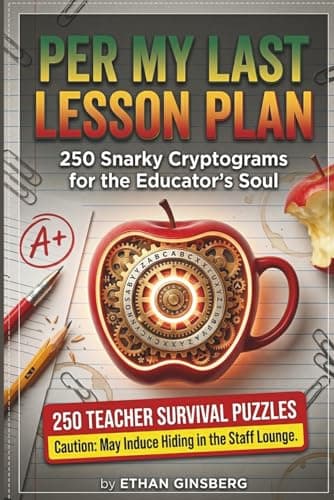
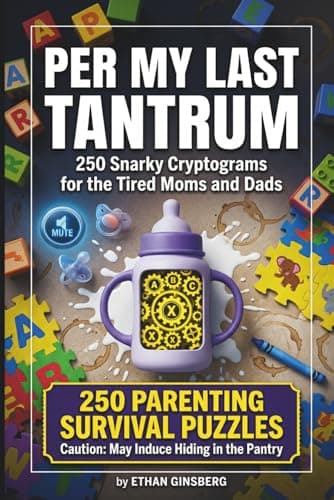
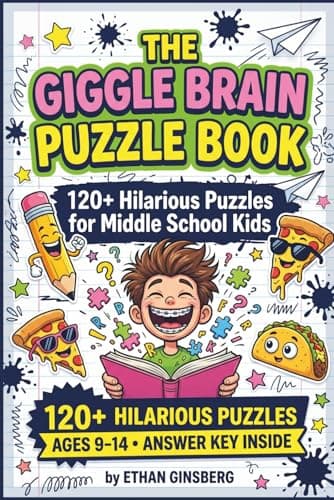
Every titlePaperbacks we wrote and printed ourselves — including one for people who teach. Nothing to do with the makers above; they stay free.
- Last Lesson PlanCryptograms for Aggressively Dedicated Teachers
- Per My Last TantrumSnarky Cryptograms for the Mental Load
- The Giggle Brain Puzzle Book120+ Hilarious Puzzles for Middle School Kids — Cryptograms, Word Fill-Ins & Word Scrambles
These are Amazon links, and we earn a small commission if you buy through them — at no extra cost to you. They are our own books.
Frequently Asked Questions
How many task cards fit on a page?
4, 6 or 8. Four per page makes big cards, about 3¾ × 4½ inches on US Letter, for word problems and read-alouds. Six (about 3¾ × 3 inches) is the usual choice for Scoot and a set of 24. Eight (about 3¾ × 2¼ inches) saves paper on sets of 32 or more. One set holds up to 64 cards.
How do the QR answer codes work?
Each code holds the answer as plain text — for example "Card 3: B) 12". A student points any phone or tablet camera at it and the answer appears on the screen. It works offline and is not a web link, so there is no website for a student to visit and nothing for a school filter to block. A card with no answer prints without a code.
Can I make task cards without QR codes?
Yes. Turn off "QR self-check on each card" and the cards print without codes, for classrooms where phones and tablets are not allowed. The answer key and the recording sheet print either way.
Does it make an answer key and a recording sheet?
Both, and both are on by default. The recording sheet has a numbered box for every card — up to 32 to a sheet — with a name and date line, and letters to circle on multiple-choice cards. The answer key is the last page of the file, so it does not get photocopied with the student pages.
How do I make multiple-choice task cards?
Type the question on one line and the options on the lines under it, starting A), B), C) and D). Mark the correct option with a star, like *B) 12, or add a line that says Answer: B. Up to six options per card. Leave a blank line between cards.
Can I paste questions from a spreadsheet?
Yes. Copy two columns — question and answer — from Google Sheets or Excel and paste them in; a header row is skipped. For multiple choice, put each option in its own column and the correct letter in the last column.
What is Scoot?
A whole-class review game. Put one task card on every desk and give each student a recording sheet. Every minute or so, call "Scoot!" — everyone moves to the next desk and answers that card in the matching numbered box. A set of 24 to 30 cards at 6 per page fits most classes.
Is it free?
Yes — free to print, with every layout, the QR codes, the recording sheet and the answer key included. Free PDFs carry a small PuzzlePage.app mark on every card and a QR code at the foot of each page; a $2.99 day pass, Plus or the Classroom plan removes them and adds your own colours, fonts and a running header.
Last updated .
Every free teacher tool
All free, no signup, and they run in your browser.
Teacher Resource Makers
Word Lists & Dictionary
Related guides
All guidesFree Task Card Maker: Printable Task Cards With QR Codes
Free task card maker: type your questions and print task cards 4, 6 or 8 per page, with QR self-check codes, a recording sheet and an answer key.
13 min readHow to Sell Puzzle Books on Teachers Pay Teachers in 2026
Step-by-step guide to sell puzzle books on Teachers Pay Teachers: Basic vs Premium fee math, upload steps, pricing, bundles, licensing and honest seller data.
6 min readAI Flash Card Maker: A Whole Deck From One Sentence
Print-ready vocabulary decks in seconds with the AI flash card maker, now in beta. Say the subject and grade, and it writes both sides. $19 a year for teachers.