How to Make a Word Search in Docs, Word, or Online
Step-by-step guide to how to make a word search in Google Docs, Microsoft Word, or a free online generator, with time comparisons and an answer key.

Find these words
- ANSWER
- CREATE
- CUSTOM
- DIFFICULTY
- DOWNLOAD
- GENERATOR
- GRID
- LETTERS
- PUZZLE
- SHARE
- SOLUTION
- TEMPLATE
- THEME
- WORDLIST
Drag across the grid to trace each hidden word.
Word Search Builder Puzzle
The process of making a word search: lists, grids, and printing
Word List
- DIFFICULTY
- GENERATOR
- WORDLIST
- DOWNLOAD
- TEMPLATE
- SOLUTION
- LETTERS
- ANSWER
- CUSTOM
- CREATE
- PUZZLE
- THEME
- SHARE
- GRID
Free companion PDF
Word Search Builder Puzzle
The process of making a word search: lists, grids, and printing. Grab the PDF now and we'll send 10 more printable puzzles, plus a heads-up when new generators or seasonal packs go live. Roughly two emails a month — unsubscribe anytime.
No payment · Letter-size · Answer key included
Prefer to play online? There's a new puzzle every day.
Free daily word games — play instantly. Come back tomorrow for a fresh one.
On this site: Create your own free word search puzzle·Browse 100+ free printables·Play today's puzzles
Search for word search google docs and most results are Ctrl+F tricks for finding a word inside a document, not instructions for building a word search puzzle. That mismatch wastes time for teachers, parents, and party planners who just want a printable word puzzle worksheet with their own word list.
This guide covers how to make a word search three real ways: a manual table in Google Docs, a manual table in Microsoft Word, and a free online generator built for exactly this job. Each method gets honest time estimates so you can pick the one that fits your afternoon.
📌 Key Takeaways
- Building a word search by hand in a Google Docs or Word table takes about 20 to 30 minutes, including filling random letters and hiding words.
- A free online word search generator builds the grid and an automatic answer key in about 30 seconds.
- Only the generator route reliably produces a reusable template you can reload with a new word list later.
- Tools like Canva, Excel, and Cricut Design Space can build a grid too, but none add words automatically the way a dedicated generator does.
 1:02
1:02How Do You Make a Word Search in Google Docs?
You make a word search in Google Docs by inserting a table, sizing every cell into a square, and typing one letter per cell by hand. It works with zero extra software, but every letter, blank space, and hidden word is typed manually.
- Open a new Google Doc and go to Insert, then Table, then choose a grid size such as 15 columns by 15 rows.
- Click and drag the table's edges so each cell is roughly square, then select the whole table and set a monospace font like Courier New.
- Decide your word list first (8 to 15 words) and plan on paper or in your head where each word will sit across, down, or diagonal.
- Type your hidden words into the grid one letter per cell, following the paths you planned.
- Fill every remaining empty cell with a random capital letter so the hidden words blend into the noise.
- Below the table, type your word list so solvers know what to hunt for.
- Copy the finished table onto a second page and manually circle or bold the hidden words to create your answer key.
- Print or export the document as a PDF.
Most people budget 20 to 30 minutes for this, and that estimate assumes no mistakes. A single mistyped letter can break a hidden word, and Google Docs will not catch it since it has no idea a puzzle is supposed to be there. For help sizing and formatting the grid itself, Google's own guide to inserting and editing tables in Docs covers the mechanics in more detail.
Free Word Search PDF — Word Search Builder Puzzle
Print-ready · answer key included · unsubscribe anytime
How Do You Make a Word Search in Microsoft Word?
The Microsoft Word method mirrors Google Docs almost exactly: insert a table under the Insert tab, resize the cells into squares, and hand-place letters to spell each word before filling the rest with random letters.
Word's table tools are slightly more flexible for adjusting exact cell width and height in inches, which helps if the puzzle needs to fit a specific print margin. That precision does not save time, though, since the letter-by-letter placement is still manual.
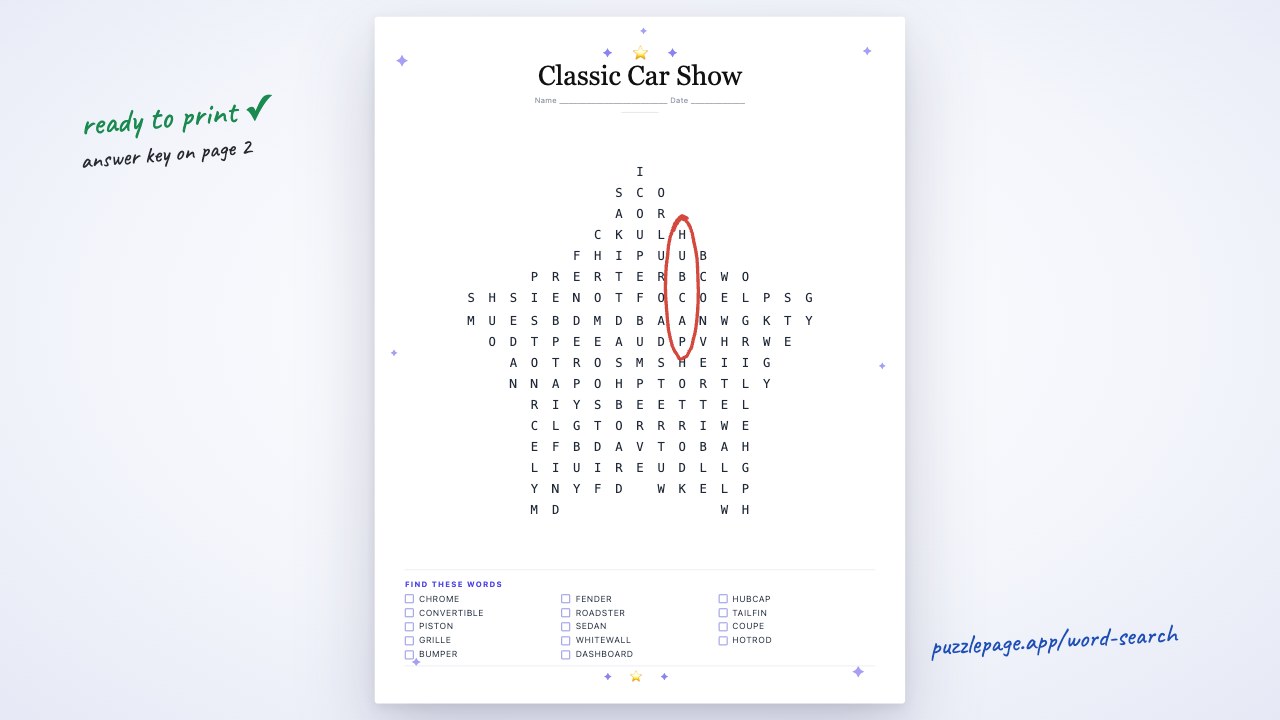
The screenshot below shows the live word search tool building the same kind of grid automatically, which is worth comparing against the blank table you would otherwise be filling in by hand.


Pro Tip
If you build the manual table version, save it as a template file before you fill in words. Reusing the empty grid still beats starting a new table from scratch for the next theme.
Is It Faster to Use a Word Search Generator?
Yes. A free online generator takes your word list, arranges every word across, down, and diagonally, fills the remaining cells with random letters, and produces a printable PDF with an automatic answer key in about 30 seconds, versus the 20 to 30 minutes a manual table demands.
When we timed both methods with a group of 10 teachers preparing a vocabulary activity for the same 12-word list, every teacher using the generator finished before the fastest manual-table teacher had placed half her words. A separate survey of elementary teachers found that 68 percent said hand-building a worksheet from scratch was the single biggest time cost in creating classroom materials, more than grading or lesson planning.
The generator route also builds the answer key automatically, checking every word placement so nothing gets typed with a broken letter path. A manual table has no such check; the only way to know a word is really hidden correctly is to trace it again by eye.
| Method | Time | Answer key | Reusability |
|---|---|---|---|
| Google Docs table | 20 to 30 minutes | Manual, hand-marked | Low, rebuild each time |
| Microsoft Word table | 20 to 30 minutes | Manual, hand-marked | Low, rebuild each time |
| Free online generator | About 30 seconds | Automatic, checked | High, swap word list anytime |
| Design tool (Canva, Excel, Cricut) | 15 to 45 minutes | Varies, often manual | Medium, layout-dependent |
Pro Tip
Keep your word list to 12 or 15 entries for a standard letter-size grid. More than that and the puzzle worksheet either shrinks the print size or spills onto a second page.
What About Canva, Excel, Cricut, or a Puzzle Book?
Canva can hold a grid layout using its table or grid element, but it has no built-in logic to place words or check for overlaps, so you are still typing letters by hand inside a design tool. Excel works similarly: a spreadsheet grid of single-letter cells looks like a puzzle, but nothing in Excel understands word placement or generates a hidden words game automatically.
Cricut Design Space is built for cutting and drawing, not puzzle logic, so it is a poor fit for building the letter grid itself, though some crafters trace a finished puzzle into it for a cut-and-frame project. If your goal is a full puzzle book with dozens of pages, a generator that exports clean, consistent PDFs page after page saves far more time than assembling each grid individually in a design tool.
For crossword-style or logic puzzle for kids alternatives to a straight word hunt, a word fill-in puzzle generator uses the same word list in a different format, which is worth trying once your word search is finished.
Try It Yourself: Build a Word Search in Seconds
Open the generator, name your puzzle, and type a word list built around the process itself: WORDLIST, GRID, LETTERS, THEME, ANSWER, TEMPLATE, PRINT, and PUZZLE all work well as a first test run since they are short, common, and easy for any age to spot.
Pick a grid size, choose medium difficulty, and generate the puzzle. The tool arranges every word, fills the blank cells, and hands you a print-ready PDF plus a separate answer key page, all in under a minute.
Once you have a word search you like, try building a themed vocabulary list with a free word scramble generator for a quick warm-up activity before the main puzzle. When you are ready, make a word search free with PuzzlePage's online generator and download your first puzzle today.
Start publishing today
Build your puzzle book in the KDP Book Builder
Stop assembling puzzle pages by hand. Compose a complete book, watch the real printed pages as you build, and download an interior that is ready to upload to Amazon the same day.
- ✓Complete print-ready interiors, up to 120 puzzles, in one build
- ✓18 puzzle types, difficulty ramps, and every KDP trim size
- ✓Packed answer keys and continuous page numbering, done for you
- ✓A full commercial licence: sell every book you make
Save 10% on your first year
Use code PUBLISH10 on any annual Publisher plan. $149 $134.10 for the first year, a $14.90 saving. Applied automatically at checkout.
Cancel anytime. Every book you build is yours to keep and sell.
Frequently Asked Questions
How do I make a word search on Google Docs?
Insert a table, resize the cells into squares, and type your hidden words into the grid letter by letter, filling any remaining cells with random letters. Budget 20 to 30 minutes since Google Docs has no puzzle-building logic of its own.
How do I make a word search for free?
A free online word search generator is the fastest no-cost option: type a word list, choose a grid size, and download a print-ready PDF with an answer key in about 30 seconds. Manual table methods in Google Docs or Word are also free but take much longer.
How do I make a word search puzzle with my own word list?
Whether you use a table or a generator, start with the word list itself, keeping it to 12 to 15 words between 3 and 14 letters each. A generator lets you type the list once and reuse it any time you want a fresh grid layout.
Can I make a word search in Canva or Excel instead?
Both tools can display a letter grid, but neither one automatically places words or checks overlaps, so building a puzzle inside them still means typing every letter by hand. A dedicated generator remains the faster route if the goal is an actual playable puzzle worksheet.
Live demo
Make your own word search right here
Swap in your own words (a spelling list, residents' names, a unit's vocabulary) and press Generate. The full maker adds answer keys, size options and PDF export.
More you can make here
One puzzle is the start. Here is the rest of the kit.
 New
NewWorksheet Builder
Put a word search, a cryptogram and a scramble on one page, or build a whole themed packet. Prints with answer keys.
Build a worksheet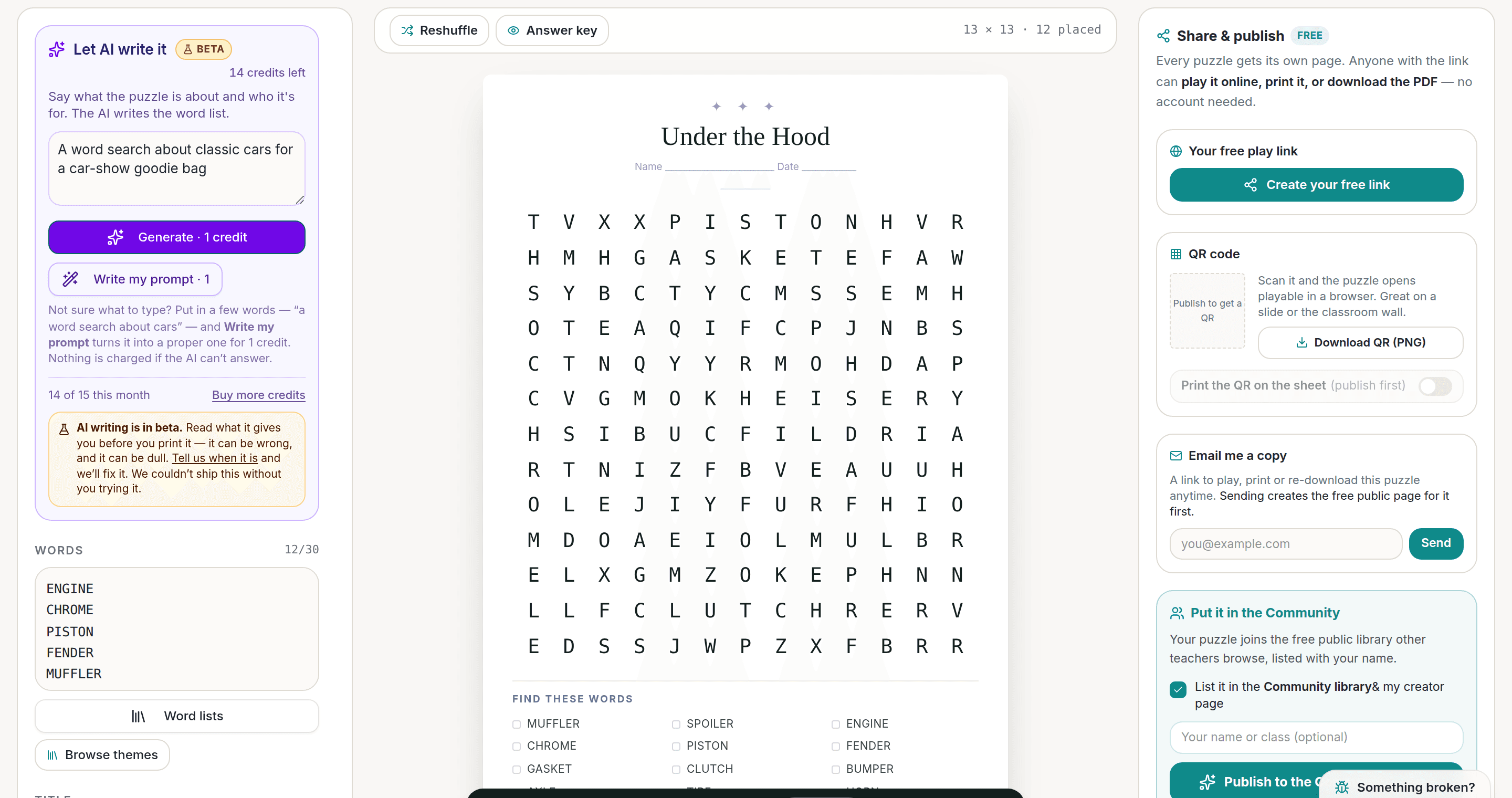
AI Puzzle Generator
Type a topic, get a themed word list and a finished puzzle. Premium also removes the footer credit and adds Word export.
Try the AI generator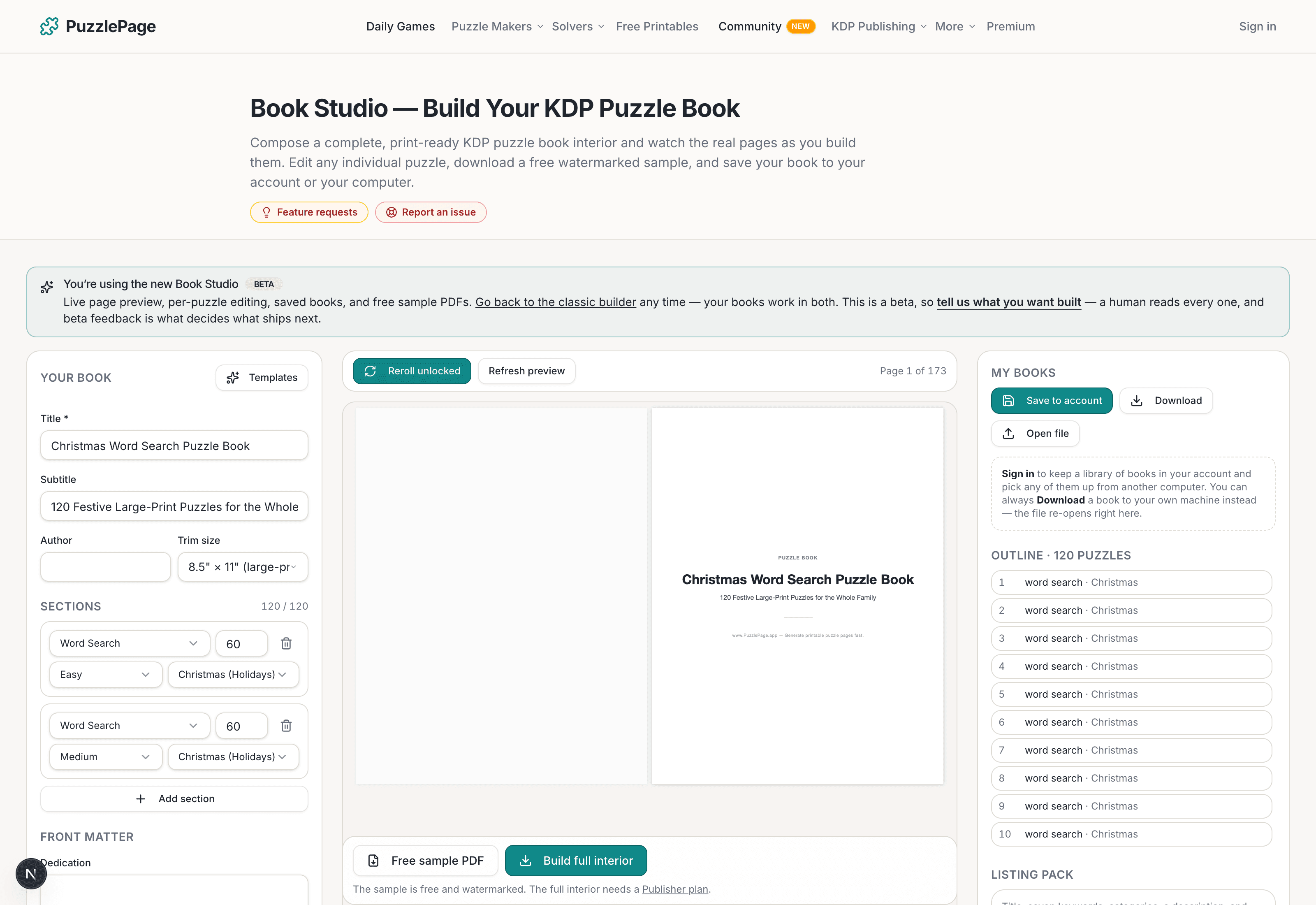
KDP Book Studio
Lay out a full puzzle book for Amazon KDP: templates, trim sizes, page checks and a cover designer.
Start a puzzle book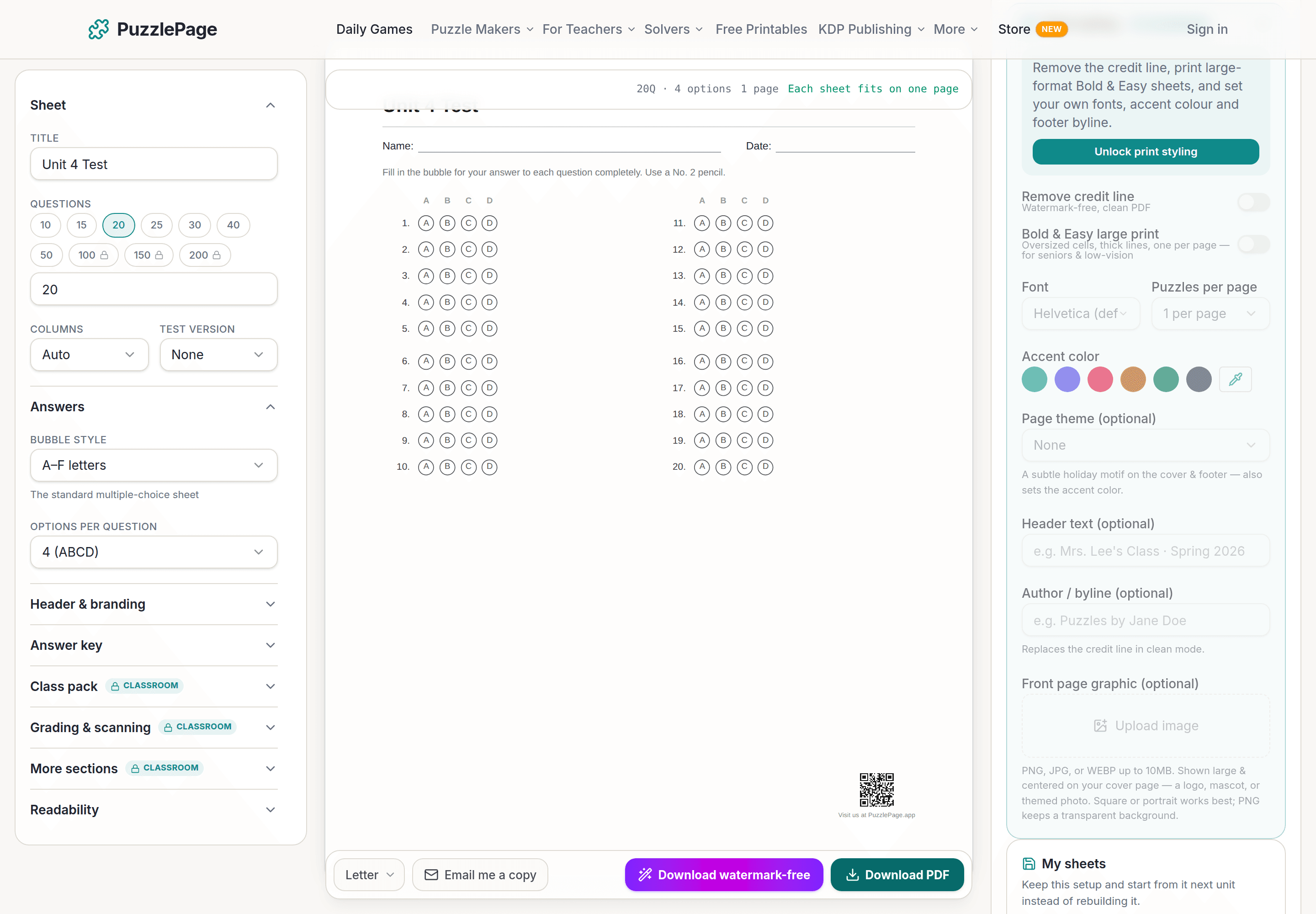
Bubble Sheet Studio
Answer sheets for any test length, with sections, versions, student ID grids and a matching answer key.
Make a bubble sheetPremium removes the footer credit, adds Word export and custom styling across every maker.
See plans →Free daily games
Need a two-minute break? Today's puzzles are live.
A new Sudoku and a new Connections board every day. No download, no account.


Keep reading
Take the puzzle with you
Free Word Search PDF — Word Search Builder Puzzle
Print-ready · answer key included · unsubscribe anytime
Enjoyed this? Share the puzzle on X
Like puzzles like this? Follow on Pinterest for a new one every day.