How to Publish Low-Content Puzzle Books on KDP: 2026 Step-by-Step
Publish low-content books on KDP in 2026, step by step: the low-content checkbox, trim sizes, 3 categories, 7 keywords, ISBN, new royalty rules, and free puzzle interiors.

Low-Content Publishing Word Search
14 milestones for publishing a low-content puzzle book on KDP
Word List
- LOWCONTENT
- BESTSELLER
- PAPERBACK
- PREVIEWER
- PUBLISHED
- KEYWORDS
- INTERIOR
- CATEGORY
- TEMPLATE
- ROYALTY
- MARGINS
- UPLOAD
- AMAZON
- NICHE
Free companion PDF
Low-Content Publishing Word Search
14 milestones for publishing a low-content puzzle book on KDP. Grab the PDF now and we'll send 10 more printable puzzles, plus a heads-up when new generators or seasonal packs go live. Roughly two emails a month — unsubscribe anytime.
No payment · Letter-size · Answer key included
Prefer to play online? There's a new puzzle every day.
Free daily word games — play instantly. Come back tomorrow for a fresh one.
On this site: Build Your Puzzle Interior Free·Browse 100+ free printables·Play today's puzzles
Puzzle books are one of the most reliable ways to publish low-content books on KDP, because the interior is the product and you do not need to write a single chapter. The catch in 2026 is that the listing process has changed in two ways most older guides miss: categories and royalty rates.
The first low-content book we listed on KDP took a full weekend and three rejected proof uploads before the margins finally passed. Our tenth took about 40 minutes start to finish. The difference was not talent, it was knowing the exact fields and numbers before opening the Bookshelf.
📌 Key Takeaways
- Low-content books need no ISBN (and cannot get a free KDP one), and they use a streamlined Create flow once you check the low-content box.
- As of 2023 you pick up to 3 browse categories during setup. The old email-KDP-for-10-categories method is gone.
- Since June 10, 2025, paperbacks priced below about $9.99 USD earn 50% royalty, not 60%, so the list price you choose directly changes your margin.
- 8.5 x 11 inches is the buyer-expected trim for puzzle books. Get bleed, margins, and gutter exact before you upload.
- You can build the puzzle interior free with PuzzlePage, then list it the same afternoon.
How do you publish a low-content book on KDP?
You publish a low-content book on KDP by creating a paperback in your Bookshelf, checking the low-content book box, filling in the title, description, keywords, and categories, then uploading a print-ready interior PDF and a cover. KDP prints each copy on demand after a customer orders, so there is no inventory and no upfront print cost.
A low-content book is any book that is mostly blank or repeating pages: journals, planners, logbooks, and activity or puzzle books. The interior carries the value, which is why a clean, correctly-sized puzzle PDF is the whole game.
Free Word Search PDF — Low-Content Publishing Word Search
Print-ready · answer key included · unsubscribe anytime
Low-content vs no-content vs puzzle books: what counts?
A no-content book is completely blank inside, like a lined notebook or a sketchbook. A low-content book has light, repeating structure, such as a sudoku grid or a word search on each page. Puzzle books sit firmly in the low-content category and tend to sell better because the buyer gets a usable activity, not just empty pages.
This matters for your listing because KDP treats low-content titles with a lighter set of requirements. Amazon KDP is widely estimated to hold 65 to 70 percent of the self-publishing market, and low-content books are a large slice of that volume precisely because they are fast to produce.
Before you list: KDP account and tax setup
Create a free KDP account, then complete the tax interview before you can publish. United States authors fill out a W-9, and international authors fill out a W-8BEN. You also add bank details so KDP can pay your royalties.
You do not need an LLC or a business license to start. A pen name is allowed, so you can publish under a brand rather than your legal name if you prefer.
Step by step: create your paperback in the KDP Bookshelf
From your Bookshelf, the flow is short once you know the order. Each format is its own listing with its own keywords and categories, so a paperback and a hardcover of the same book are set up separately.
- Click + Create, then Create paperback.
- Check the Low-content book box near the top of the details screen. This unlocks the streamlined flow.
- Set your language, then write an exact, search-aware title (for example, "Large Print Sudoku for Adults: 200 Puzzles").
- Use the subtitle to carry secondary keywords like the audience or format.
- Add your author or pen name and a benefit-first description of about 150 to 200 words.
- Fill in your 7 keywords and up to 3 categories (covered below).
- Leave the ISBN blank (low-content books cannot get a free KDP ISBN and do not need one), then move to the content tab to set trim size and upload files.
Pro Tip
Write your title the way a shopper would search it, not the way a designer would style it. "Travel Crossword Puzzles Large Print" beats a clever one-word name every time, because the words in your title are indexed by Amazon search.
KDP keywords for puzzle books: the 7 slots
KDP gives you 7 keyword slots of 50 characters each. Do not repeat words already in your title, because those are indexed automatically. Spend the slots on format, audience, and use-case phrases such as "large print," "gift for grandma," "brain games for seniors," or "travel activity book."
Real Amazon autocomplete is your best free research. Start typing your topic into the Amazon search bar and note the suggestions, because those are phrases shoppers actually use. If you want that research plus live search-volume numbers in one place, this is where a dedicated tool earns its keep.
📚 The Tool We Use: Book Bolt
Book Bolt shows real Amazon search volume, tracks bestsellers in your niche with its KDP Spy tool, and helps you fill all 7 keyword slots and 3 categories with terms that actually get searched. It is the platform we use to plan our own catalog. The keyword and competition research is where it genuinely saves hours of manual work.
Try Book Bolt Free →How many categories can you choose in 2026?
You choose up to 3 Amazon browse categories during setup, and that is the firm limit per format. This changed in 2023. The old system, where you picked 2 BISAC codes and emailed KDP support to be added to up to 10 categories, no longer exists.
Pick the three most specific categories you genuinely fit, usually under Crafts, Hobbies and Home or Humor and Entertainment for puzzle titles. A specific category with less competition is easier to rank in than a broad one, and ranking is how you earn a bestseller badge.
Do puzzle books need an ISBN?
No. Low-content books do not require an ISBN, and they are not eligible for KDP's free assigned ISBN either. Your two options are to publish with no ISBN at all, which is what most puzzle publishers do, or to buy and add your own.
If you bring your own ISBN you become the listed publisher of record, but you cannot reuse one ISBN across different formats or trim sizes. For almost everyone starting out, publishing with no ISBN is the simplest path, and it works the same in Amazon search.
Best trim size, bleed, margins, and gutter for puzzle interiors
Trim size is the finished page size, and puzzle buyers expect roomy grids. The table below covers the three sizes that sell, with 8.5 x 11 inches being the default most shoppers picture when they imagine a puzzle book.
| Trim size | Best for | Why it works |
|---|---|---|
| 8.5 x 11 in | Large-print, word search, sudoku, crossword | Biggest grids and the size buyers expect for activity books |
| 6 x 9 in | Travel, cryptograms, word scrambles | Compact and standard trade size, lower printing cost |
| 8.5 x 8.5 in | Kids and coloring-puzzle hybrids | Square format stands out in a thumbnail grid |
Margins and bleed are where most first uploads fail. Use a bleed of 0.125 inches past the trim on all sides if any art runs to the page edge, and keep an outside margin of at least 0.25 inches.
The gutter, the inside margin near the spine, grows with page count: about 0.375 inches under 150 pages, 0.5 inches from 151 to 300 pages, and 0.625 inches from 301 to 500 pages. Build these into your PDF before you export.
Pro Tip
Set your interior PDF to the exact trim size with bleed before you upload. Almost every first-time rejection we see is a margin or bleed error, not a content problem, and the KDP Previewer flags each one with a page number.
Creating your puzzle interior free with PuzzlePage
You do not need design software to make a sellable puzzle interior. The free PuzzlePage word search maker exports clean, print-ready PDFs with an answer key, and you can do the same with the Sudoku generator or the cryptogram maker for variety in the same book.
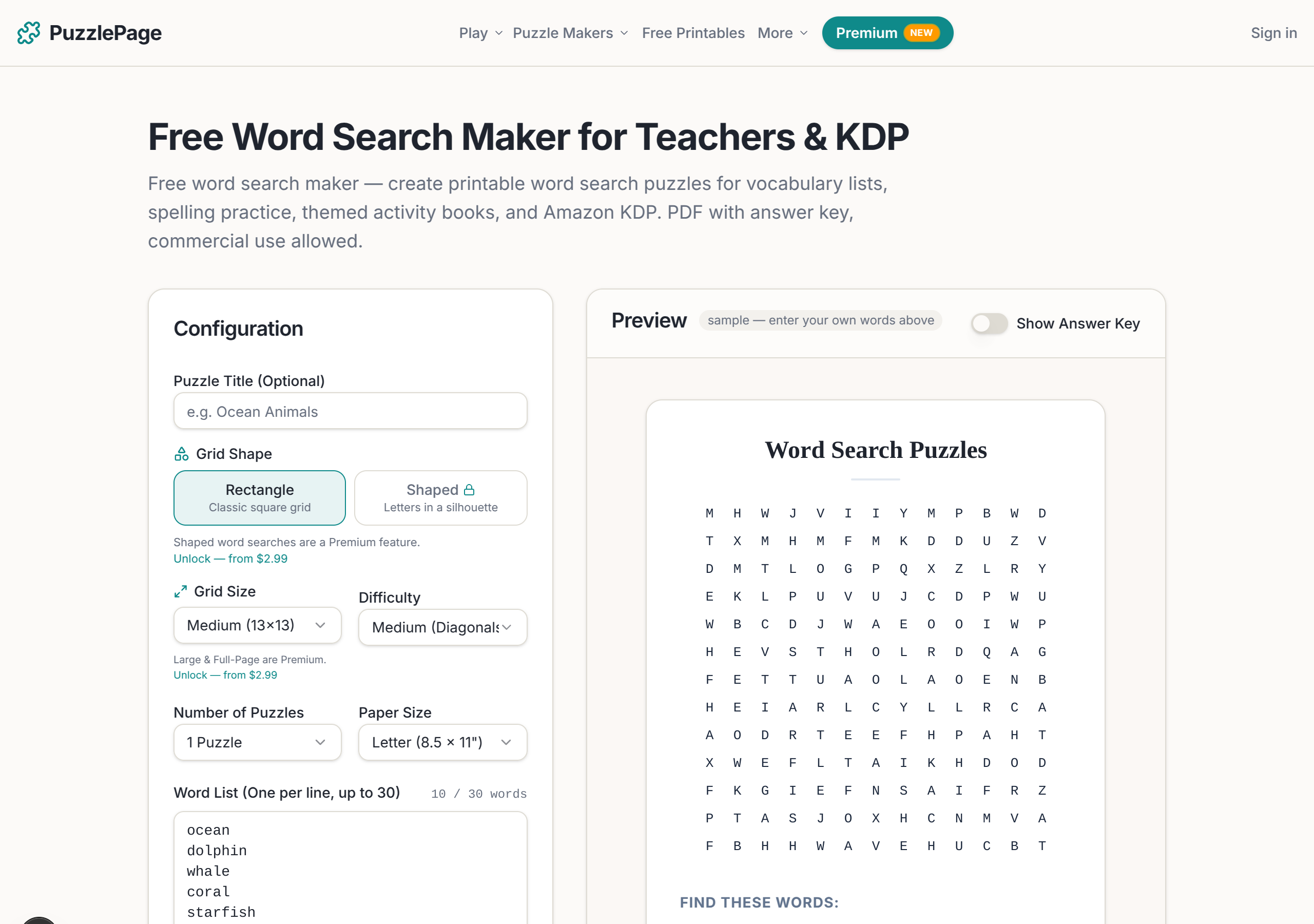
To match your KDP trim, set the generator's paper size to Letter (8.5 x 11 inches) before you export, then check the result against the margin and bleed numbers in the table above. If your puzzle grids stay inside the page with a 0.25 inch outside margin and nothing runs to the edge, you can skip bleed entirely and clear the Previewer on the first try.
For a single themed book, PuzzlePage covers the whole interior at no cost. If you are publishing at volume and want sudoku, crossword, and word search templates plus a cover designer in one dashboard, Book Bolt is the paid all-in-one we reach for.
Either way, choosing the right book to make first is half the battle. Our guide to the best puzzle types for KDP activity books breaks down which formats sell and which stay stuck at zero.
Paper, cover, upload, and the KDP Previewer
For puzzle interiors, choose white paper and black ink. White holds line art and grids more crisply than cream, and a black-ink interior keeps your printing cost low. Color interiors cost far more and are rarely worth it for puzzles.
Upload your interior as a print-ready PDF and your cover as either a KDP Cover Creator design or a full-wrap PDF. Matte covers tend to suit activity books better than glossy. Then run the KDP Previewer and clear every flagged error before you continue.
If you built the interior in the Book Studio, the cover can come from the same place. Its Cover Studio (beta) sizes the full wrap from your real page count, gives every template a starter cover, adds 35 free royalty-free backgrounds, and lets you drag the title and picture where you want them.
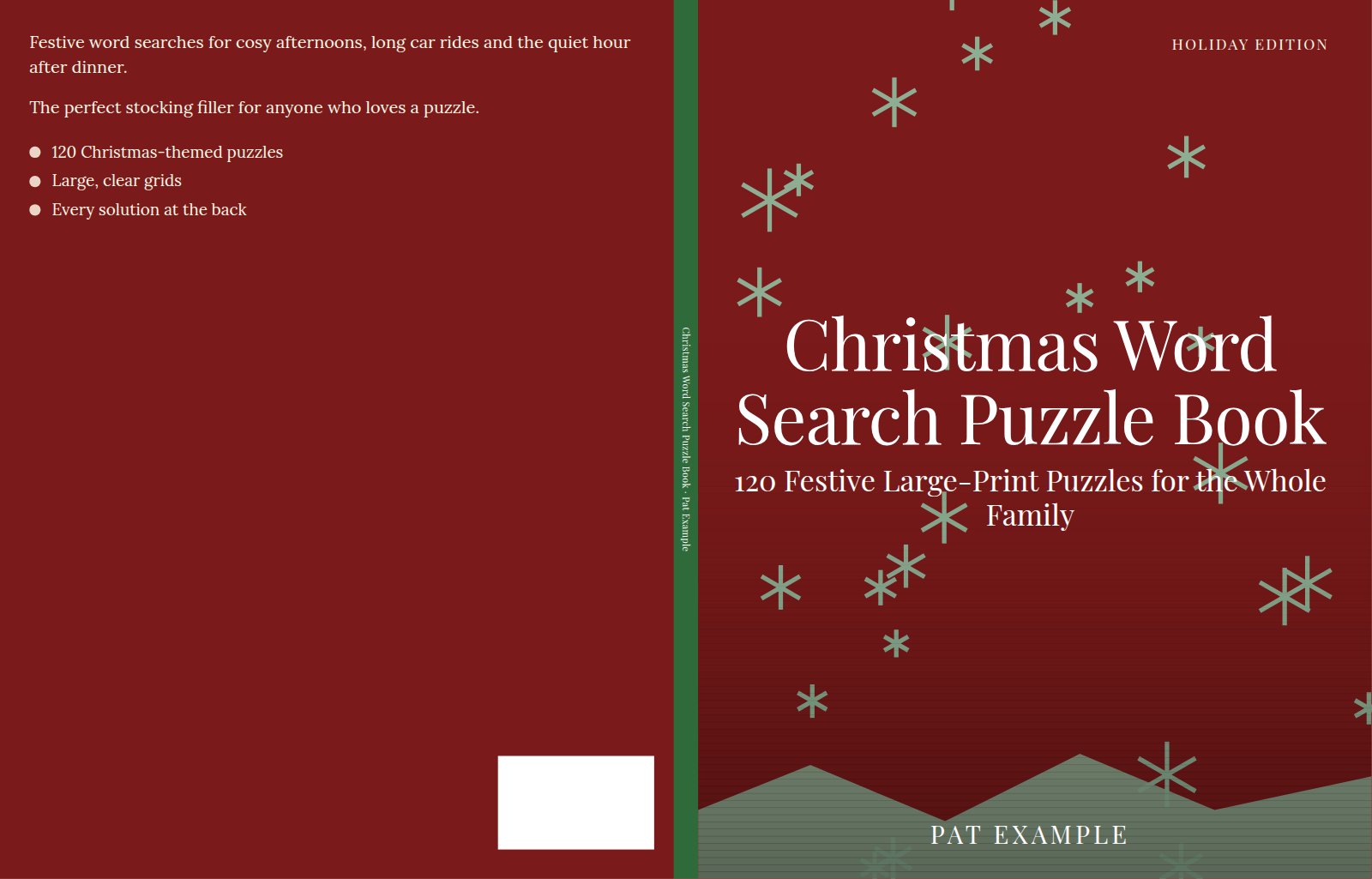
It is a beta feature, so please report anything odd and bear with us while we work out the kinks. The step-by-step is in our KDP book cover designer guide.
Heads up
Editing a book you published years ago can force it onto the current minimum list price. If you reopen an old title, check the pricing tab before you resubmit so you are not surprised by a higher floor.
Pricing and royalties in 2026: what the June 2025 change means
This is the update most older guides get wrong. As of June 10, 2025, KDP pays 50% royalty on paperbacks priced below about $9.99 USD, where it used to pay 60%. Titles priced at $9.99 or above still earn 60%, and the minimum list prices rose at the same time.
Your paperback royalty is your list price multiplied by the royalty rate, minus the per-copy printing cost. For context on why pricing discipline matters, the self-publishing market was worth somewhere around $1.85 billion in 2024 by some industry estimates (figures vary by source), and the sellers who profit are the ones who price above the royalty cliff.
Pro Tip
List at $9.99 or higher to keep the 60% rate. A book priced at $8.99 can actually net you about the same or less per sale than the same book at $9.99, because you drop to 50% royalty below the threshold.
Order your proof, then publish
Before you hit publish, order a printed proof copy or review the digital proof in the Previewer one last time. A physical proof catches issues a screen hides, like a grid that sits too close to the gutter or a cover color that prints darker than expected.
Once you approve it, click Publish. Your low-content book usually goes live on Amazon within 24 to 72 hours. For the full picture of niche selection and cover design, see our companion walkthrough on how to create puzzle books for KDP, and confirm any policy detail against KDP's official low-content book help page.
📚 Ready to build faster?
Make your puzzle interior free with PuzzlePage, then use Book Bolt for keyword research, niche validation, and covers when you scale past your first title. It is the workflow we use to keep our own catalog growing.
Try Book Bolt Free →Frequently Asked Questions
Do low-content books need an ISBN on KDP?
No. Low-content books do not require an ISBN, and they are not eligible for KDP's free assigned ISBN. Most publishers simply publish with no ISBN, or buy and add their own, which cannot be reused across formats or trim sizes.
What is the best trim size for a puzzle book on KDP?
8.5 x 11 inches is the most popular trim for puzzle books because it gives the largest grids and matches what buyers expect. Use 6 x 9 inches for compact travel books and 8.5 x 8.5 inches for kids and coloring-puzzle hybrids.
How much royalty do you earn on a KDP paperback in 2026?
You earn your list price multiplied by the royalty rate, minus the printing cost. Since June 10, 2025, paperbacks priced below about $9.99 USD earn 50%, while titles at $9.99 or above earn 60%, so pricing at or above that line protects your margin.
Can you make money selling puzzle books on Amazon in 2026?
Yes, though it takes a specific niche and a clean listing rather than luck. Pick a focused audience, price at $9.99 or above to keep the 60% royalty, and publish several titles so your catalog can build momentum over time.
Low-content still means real pages. See what a free puzzle generator for KDP produces before you build the interior.
Keep reading
Take the puzzle with you
Free Word Search PDF — Low-Content Publishing Word Search
Print-ready · answer key included · unsubscribe anytime
Related printable themes
All themesEnjoyed this? Share the puzzle on X
Like puzzles like this? Follow on Pinterest for a new one every day.